Skip to content
-
Subscribe to our newsletter & never miss our best posts. Subscribe Now!
  • Home
  • Account
  • Blog
  • Blog
  • Contact
  • Contact
  • Contact Us
  • Customize Interests
  • Default Home 2
  • Default Home 3
  • Default Home 4
  • Default Home 5
  • Home
  • Home
  • Home Default
  • Homepage
  • Login
  • Logout
  • Members
  • My Bookmarks
  • Official Number for QuickBookExperts +1-(818)-900-9884
  • Password Reset
  • Privacy Policy
  • Questions
  • QuickBookExperts +1-(818)-900-9884
  • Register
  • Resources
  • Sample Page
  • Services
  • Team
  • User
  • Customer Area
    • Dashboard
    • Payments
      • Checkout
      • Payment accepted
      • Payment rejected
    • Files
      • My files
    • Pages
      • My pages
    • My account
      • Account details
      • Edit account
      • Logout
  • Home
  • Account
  • Blog
  • Blog
  • Contact
  • Contact
  • Contact Us
  • Customize Interests
  • Default Home 2
  • Default Home 3
  • Default Home 4
  • Default Home 5
  • Home
  • Home
  • Home Default
  • Homepage
  • Login
  • Logout
  • Members
  • My Bookmarks
  • Official Number for QuickBookExperts +1-(818)-900-9884
  • Password Reset
  • Privacy Policy
  • Questions
  • QuickBookExperts +1-(818)-900-9884
  • Register
  • Resources
  • Sample Page
  • Services
  • Team
  • User
  • Customer Area
    • Dashboard
    • Payments
      • Checkout
      • Payment accepted
      • Payment rejected
    • Files
      • My files
    • Pages
      • My pages
    • My account
      • Account details
      • Edit account
      • Logout
Close

Search

  • https://www.facebook.com/
  • https://twitter.com/
  • https://t.me/
  • https://www.instagram.com/
  • https://youtube.com/
Subscribe
QuickbooksQuickbooks DesktopQuickBooks Mac Desktop

System requirements for QuickBooks Desktop for Mac 2019

By QuickBook Experts
April 22, 2019 2 Min Read
1

In this article, Learn the necessary system requirements before installing your QuickBooks Desktop for Mac 2019
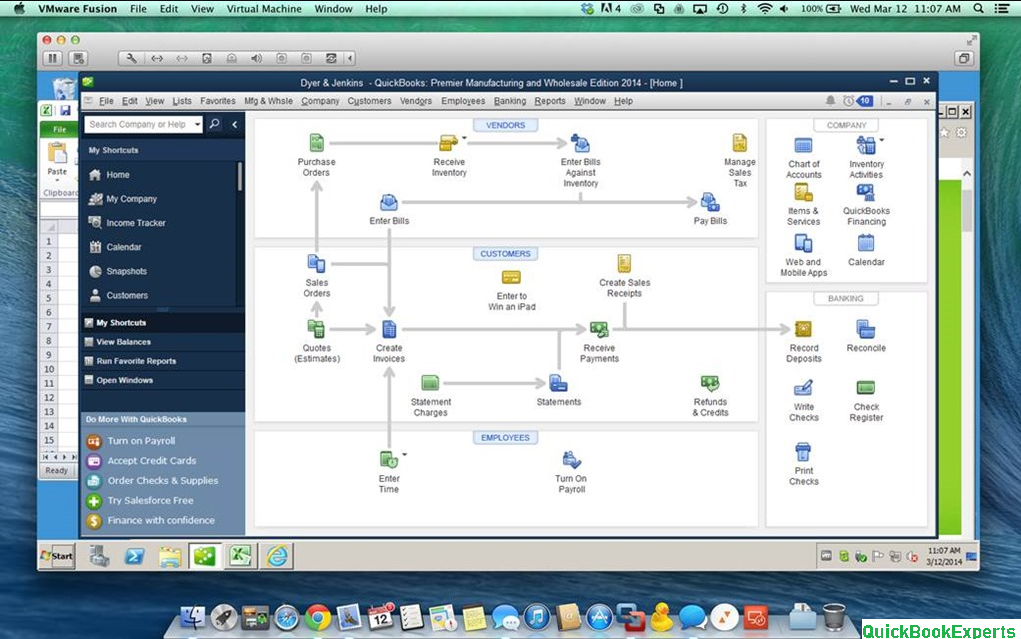
System Requirements in Mac for QuickBooks

System requirements: At least Mac OS X v10.12 (Sierra); Supported by Mac OS X v10.14 (Mojave), 10.13 (High Sierra) CD/DVD drive or Internet connection for downloaded installation Intel Processor – Core 2 Duo or higher Multi – user Server – Intel Core 2 Duo or higher processor to run server 2 GB RAM (4 GB RAM recommended) 250 MB of available disk space Product registration required Integration/compatibility requirements:

Export report data – Apple Numbers v3.5, Microsoft Excel 2016, or Mac Office365 Email forms QuickBooks (ex. invoices and sales receipts) – Apple Mail, Microsoft Outlook 2016, or Mac Office365 Printer – 100% Macintosh – compatible printer if you plan to print checks, deposit slips, lists, purchase orders, mailing labels, reports or graphs Checks – Use Intuit Checks if you plan to print checks.

Canadian Image Ready Checks are not supported Imports – from QuickBooks for Windows 2016 and 2018 Exports – to QuickBooks for Windows 2019 2016 Minimum requirements: QuickBooks for Mac 2016 R5 or earlier – Mac OS10.10.2 (Yosemite), Mac OS 10.11 (El Capitan) QuickBooks for Mac 206 R6 or later – Mac OS X v10.14 (Mojave), 10.13 (High Sierra), Mac OS 10.11 (El Capitan).

These are the System Requirements For QuickBooks Desktop Mac 

Related Terms: System requirements for QuickBooks Desktop for Mac 2019, Mac users: Update billing info for QuickBooks Online 2019, Quickbooks Crashing in Mac Mojave Desktop in 2019, QuickBooks 2016 and Mac Mojave 2019, QuickBooks is Not Working In Mac Desktop (Mojave), Quickbooks Mac Desktop Crashing in Mac OS Mojave, Convert a QuickBooks for Mac file to QuickBooks for Windows, Convert a QuickBooks for Windows file to QuickBooks for Mac, Quickbooks Online’s Desktop App for Mac no longer allows opening multiple tabs. How do I fix this?

Having a Question ?

Call: +1-(818) 900-9884

Chat Live to the Customer Care Executive 

Author

QuickBook Experts

Follow Me
Other Articles
Previous

Add project estimate summaries to a progress invoice

Next

What are Bank Deposits in QuickBooks? How Bank Deposits Works ?

One Comment

Comments are closed.

//

We influence 20 million users and is the number one business and technology news network on the planet

Copyright 2026 — . All rights reserved. Blogsy WordPress Theme